Designing expert chat for a live learning platform
instructor portal
My MVP design grew into a platform with 2M+ registered learners
Across iOS, Android and web
Professionals and celebrities in their field
Making online classes feel like a classroom
In 2020, MiDigi World asked us to build live online classes covering wellness, cooking, coding and more. We had weeks, not months. Courses cost ₹299 to ₹999 (about $4 to $12), and the teachers included chef Sanjeev Kapoor, footballer Bhaichung Bhutia, and actor Ashish Vidyarthi.
The whole point was learning from a real expert, not watching a video. Anyone can upload a video. The hard part was making it feel like a classroom, where learners could ask questions and get answers.
Four constraints shaped every decision
I talked to learners instead of guessing.
I interviewed eight learners over Zoom, from people who had never paid for online learning to frequent users. I followed up on WhatsApp, reached out through my own network, and reviewed competing products.
| Questions | Yogajournal | mindworks | Udemy | Coursera | Skillshare | Byjus | Brahmakumaris |
|---|---|---|---|---|---|---|---|
| Chat with instructor | – | – | ✓ | – | – | ✓ | – |
| One to one mentor guidance | – | – | – | – | – | ✓ | – |
| Live streaming | ✓ | – | – | – | – | ✓ | – |
| Become an instructor | – | – | ✓ | – | ✓ | – | – |
| Online courses | ✓ | ✓ | ✓ | ✓ | ✓ | ✓ | ✓ |
| Blogs and articles | ✓ | ✓ | ✓ | – | ✓ | ✓ | ✓ |
| Membership plansubscription | ✓ | ✓ | – | – | ✓ | ✓ | – |
| Device maturityAndroid, iOS, web, tablet, Apple TV | Excluding tablet & Apple TV | Excluding tablet & Apple TV | All | Excluding Apple TV | Excluding tablet & Apple TV | Excluding Apple TV | Excluding tablet & Apple TV |
| Donation based | – | ✓ | – | – | – | – | – |
| Multi language | English | English | Multi language | English | English | Multi language | English |
| Ebooks | – | ✓ | – | – | – | ✓ | ✓ |
Three problems learners had with online classes
-
No support after class.
Learners could have questions after the class ended, but the teacher was not always available to help.
-
Nobody checks their work.
Learners could watch how to do something, but they did not get feedback on whether they did it correctly.
-
No interaction between learners.
Learners attended the same class but had few chances to talk, share ideas, or work together.
I treated this as a people problem. I asked questions like…

- 1.What happens when learners have questions after class?
- 2.How do learners know if they are doing something correctly?
- 3.How can learners interact and learn from each other?
- 4.Why might learners hesitate to ask questions during a live class?
Three design decisions brought out the best of MiDigi World
Support after the class
Most questions came up after the session ended, and learners had no way to reach the expert who taught it. I explored different ways to extend support beyond the class before choosing one.
Concept A: office hours
The expert stays on for thirty minutes after class, and anyone who joins can ask questions live.
Not chosenIt only helps learners who are free at that exact half hour, and every class costs the expert extra time.
Concept B: ask the class
Learners post their question to everyone who attended. Other learners answer, and the instructor can add to it.
Not chosenSupport arrives, but not always from the expert, and wrong answers need moderation.
Concept C: an answer within a day
The learner leaves a question and the expert replies when they are next available, within 24 hours.
Not chosenIt works at any hour, but there is no help in the moment the learner is stuck.
A timed chat with the expert
Chat stays open for a set time after class, and the limit is visible from the start. The learner gets help right away. The expert gets a clear end.
ShippedImmediate help, direct from the expert, with a limit the business could afford. Small enough to build in eight weeks.
Final chat designs
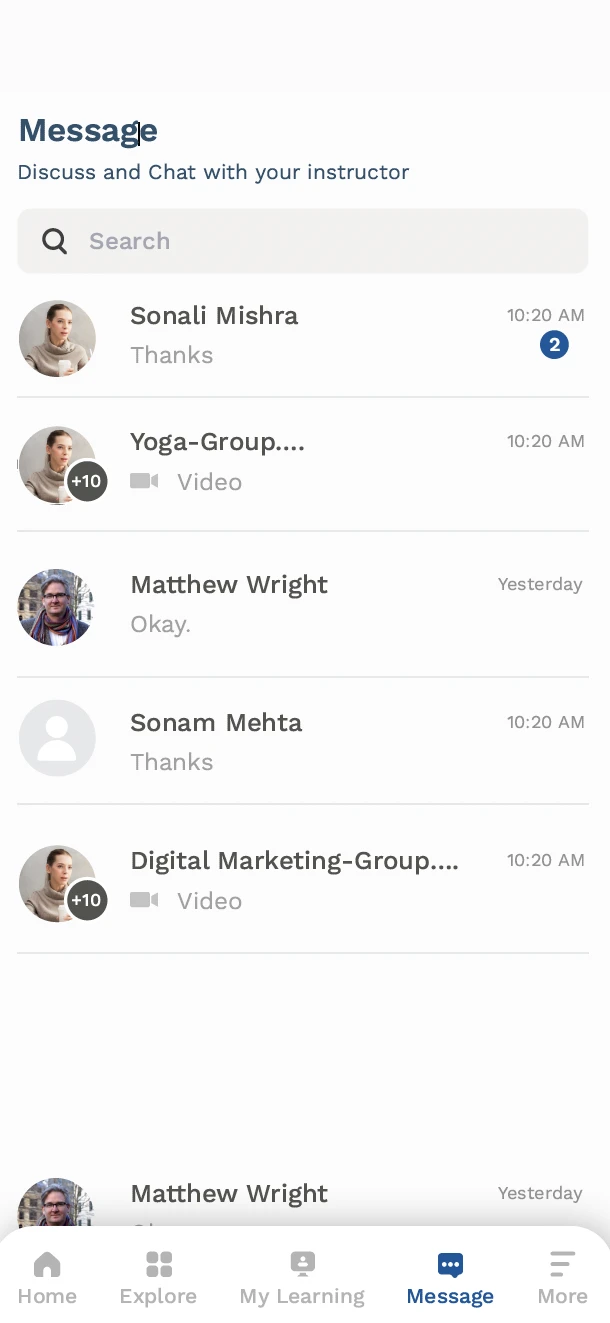
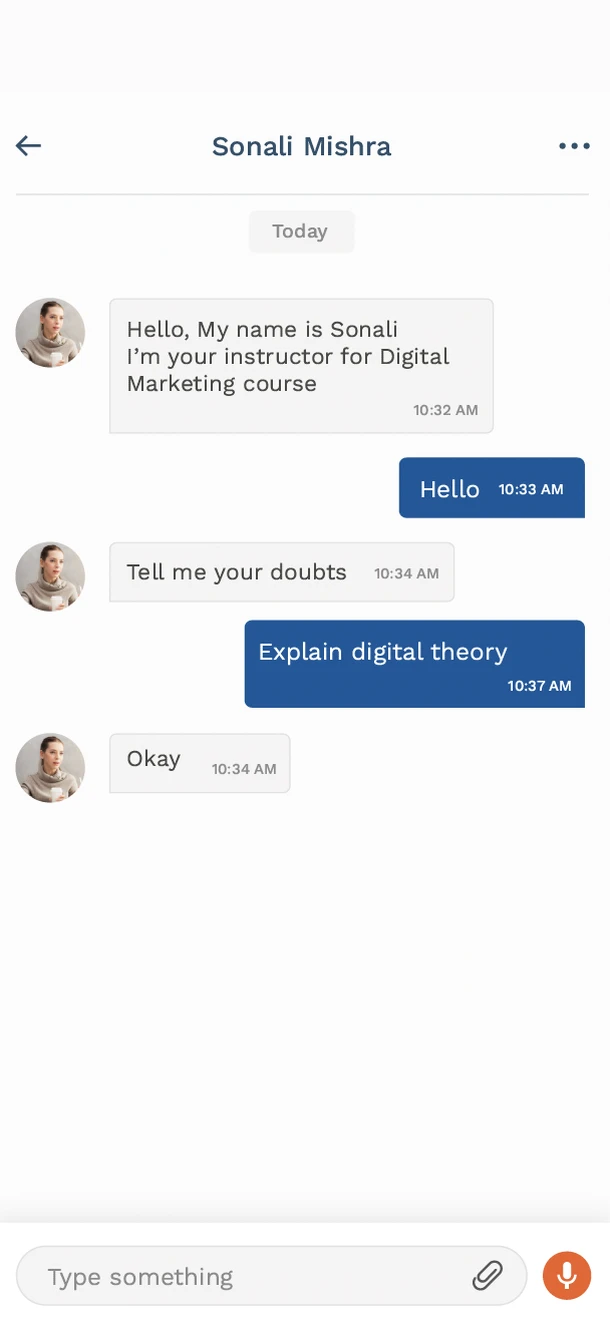
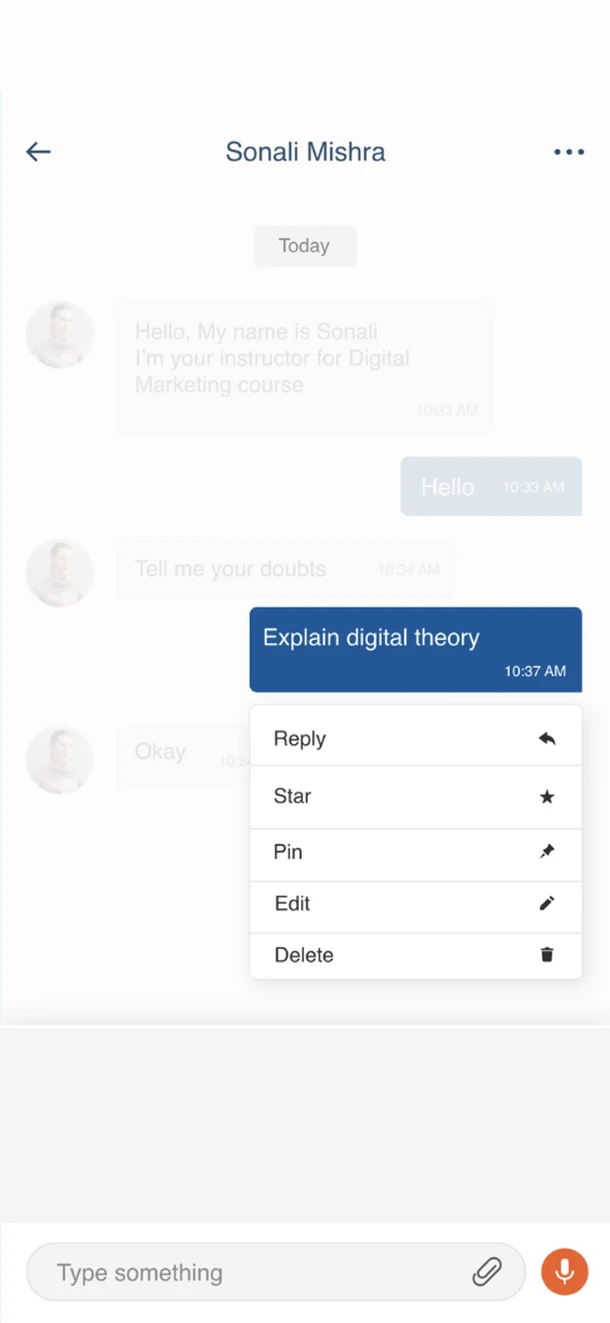
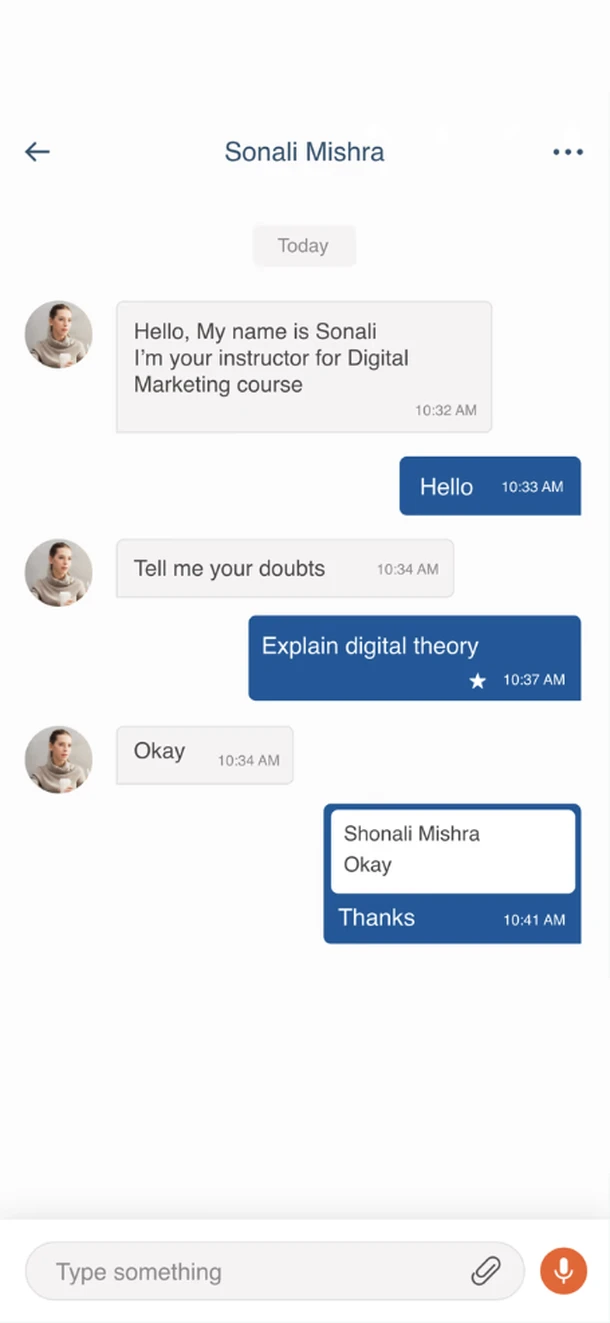
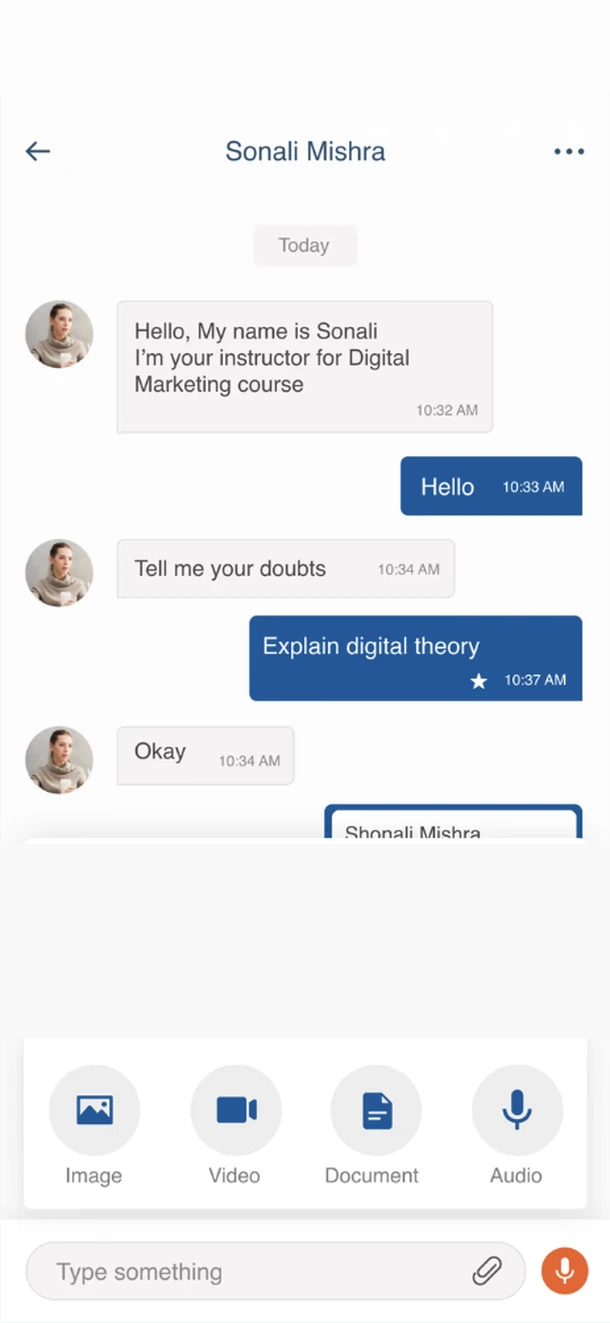
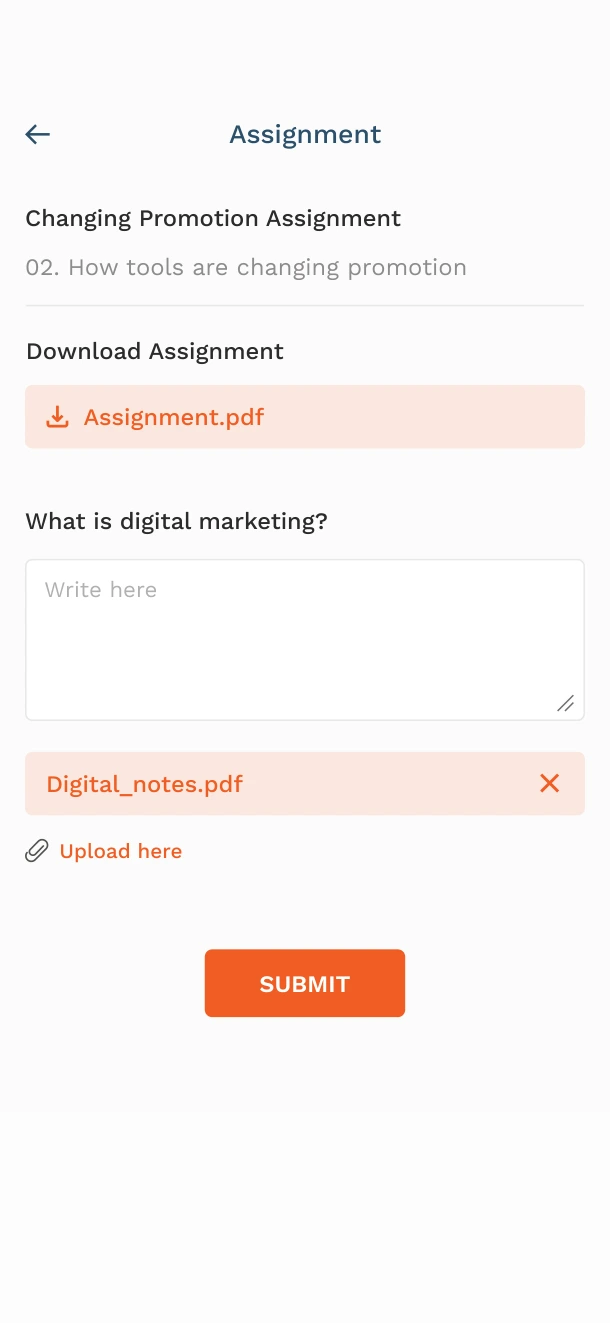
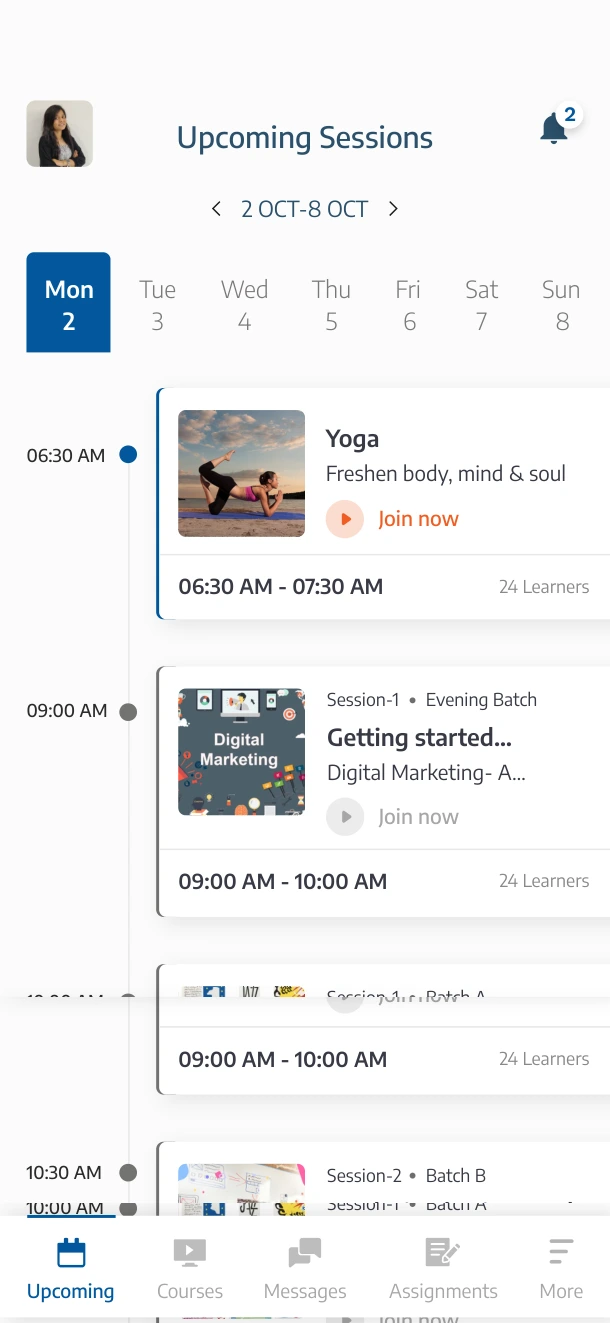
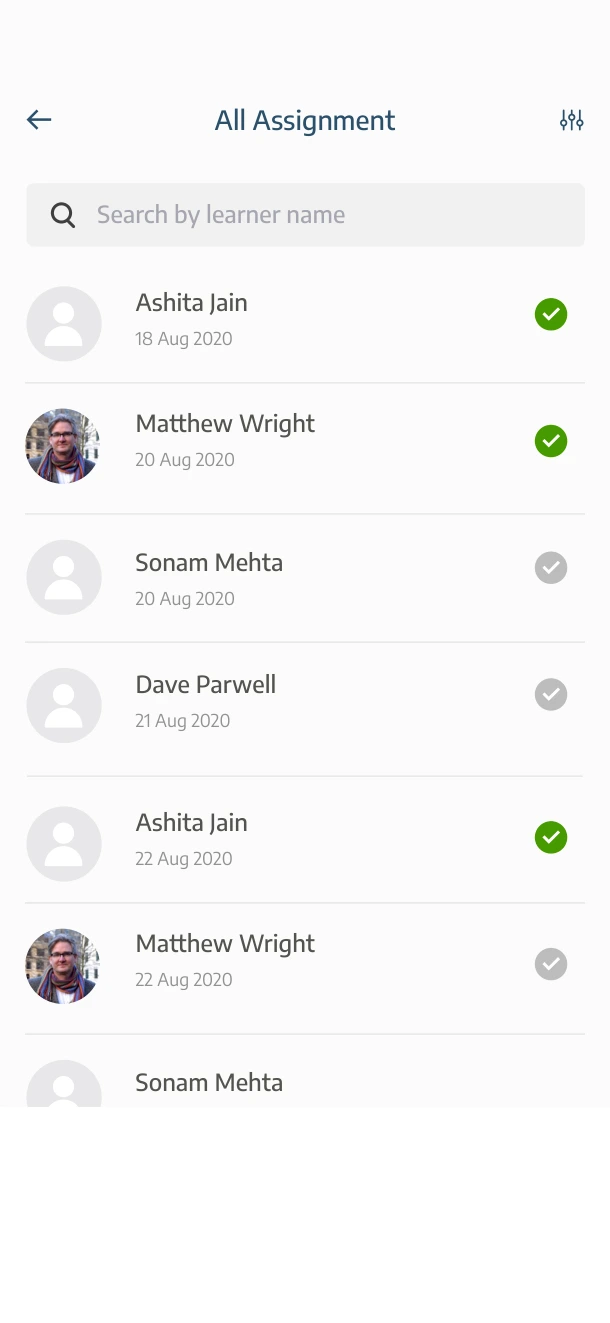
Chat addressed all three problems: learners could reach the expert after class, share their work and get feedback, and stay connected with their classmates.
Chat was the core feature, supported by other features that made the learning experience more complete.
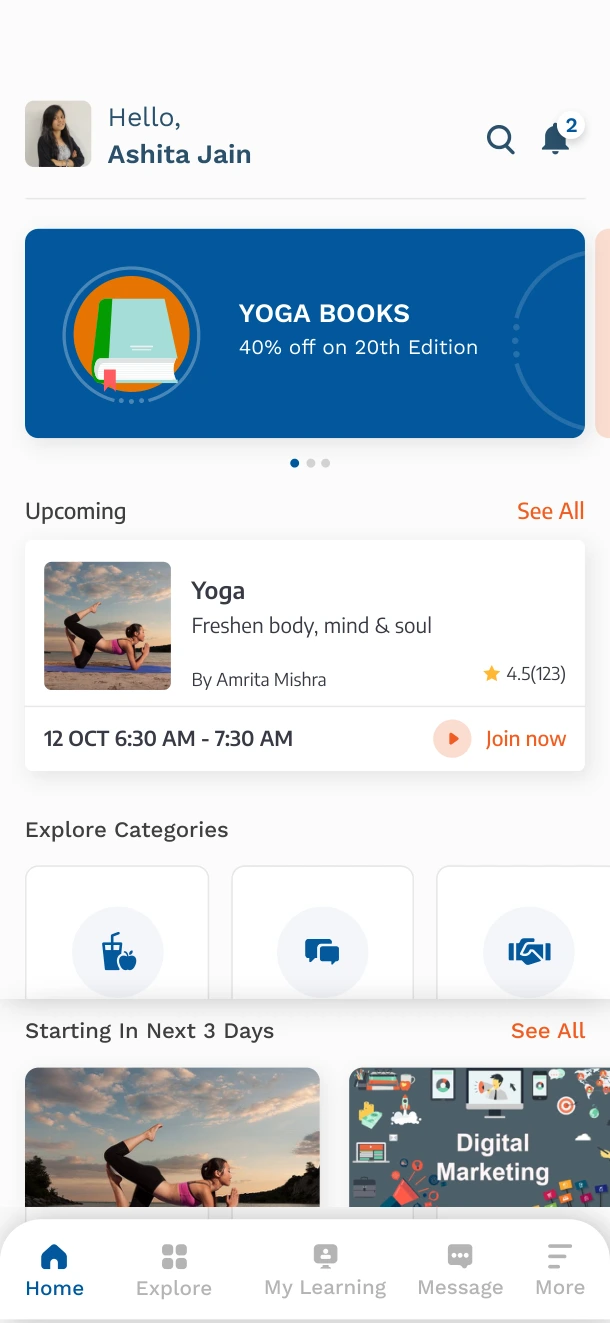
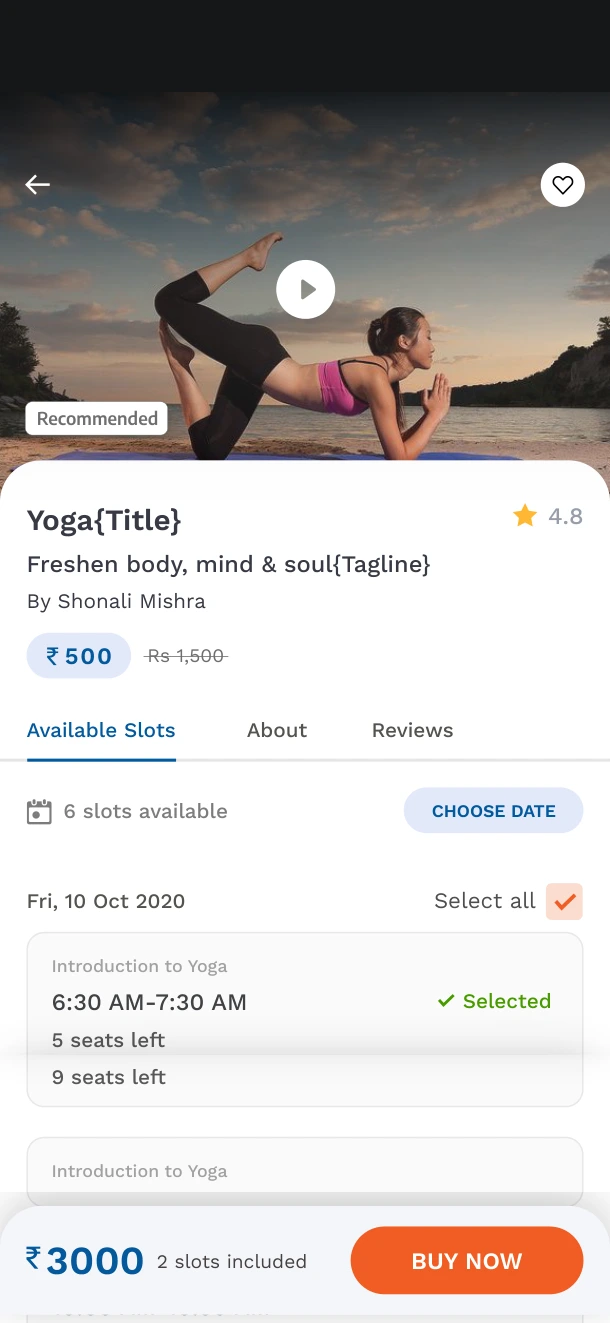
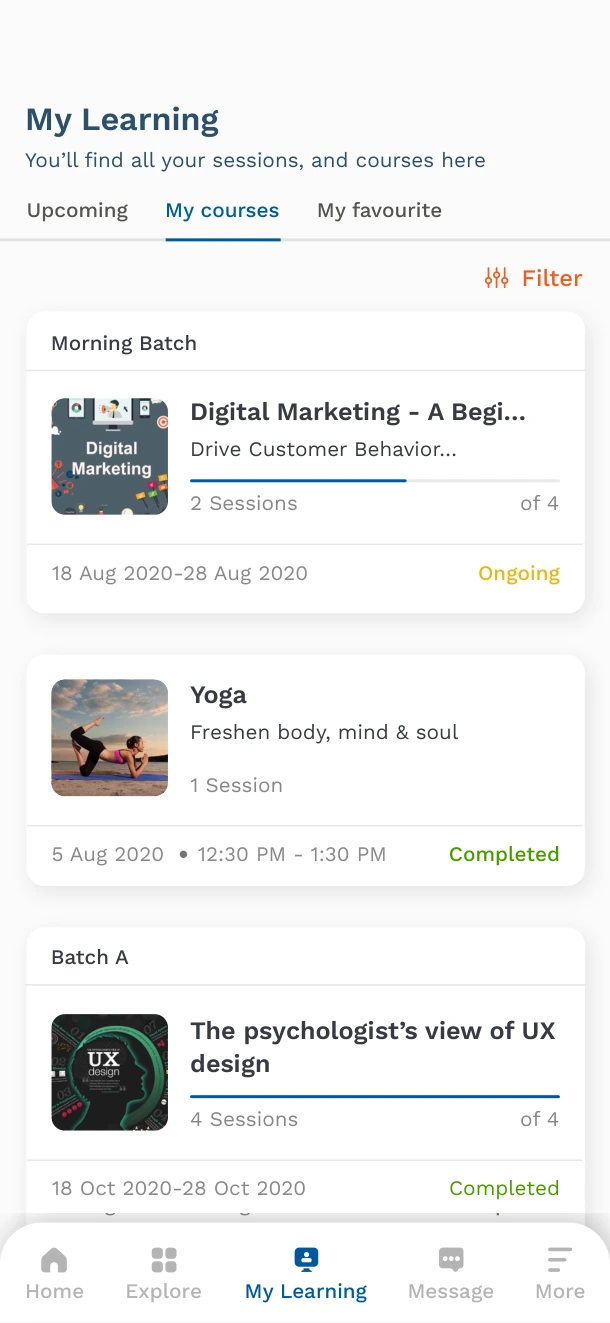
What the numbers tell us and what they don’t.
-
4.7/5
Google Play rating across 2,200+ reviews.
-
~$3M
Sales in six to eight months in 2021.
-
Numbers for the whole platform.
These figures reflect the platform as a whole, not the chat feature alone.
Easy to use and understand.
The learning experience is interesting.
Google Play review · 35-year-old learner, India
Test the chat from both sides.
I would push for lightweight usability testing before launch. Do learners understand the window before they send a question? Can experts quickly see what is open, what is ending, and what is closed?
“When you are the only designer in the room, your job is not to have every answer. It is to make the tradeoffs clear enough that the team can decide properly.”